
PIA S5 Proxy delivers a reliable, private, and high-performance SOCKS5 proxy solution known for its speed, security, and user-friendly design. Whether you’re a digital marketer, developer, or privacy-conscious user, this guide covers everything you need. Many professionals who rely on proxy tools also consider services like Luna Proxy, which makes understanding how PIA S5 Proxy performs in real-world usage even more valuable.
It provides an A-to-Z instruction on key features, setup steps, real-world comparisons, and more. You’ll understand what makes PIA Proxy different, how to install it, and how it competes against top alternatives in the market.
What Is PIA S5 Proxy?
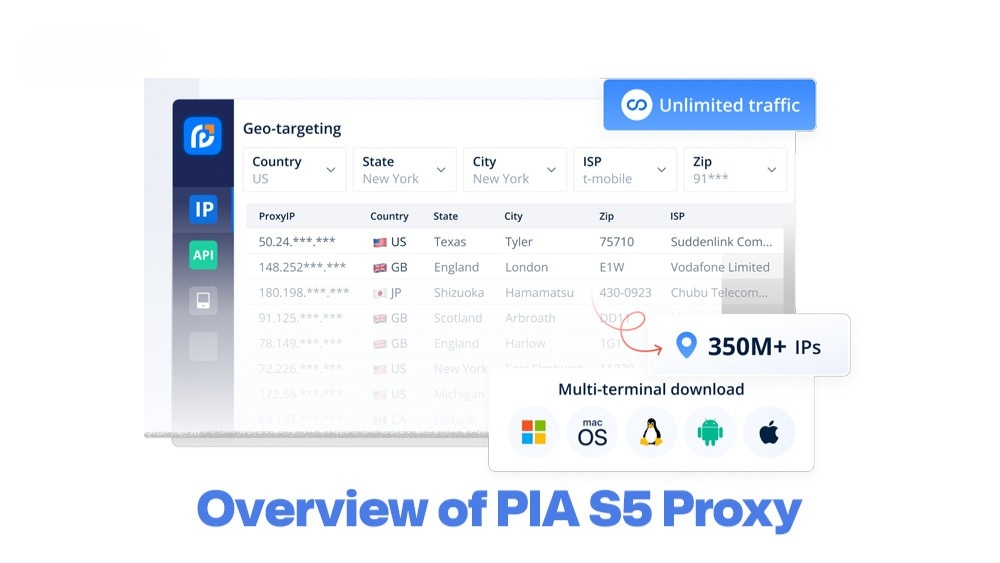
PIA S5 Proxy is a proxy service powered by SOCKS5 protocol, known for its ability to securely route traffic while maintaining speed and anonymity. Compared to traditional proxies like HTTP, HTTPS, or even ISP/static proxies, SOCKS5 supports more complex data types, which makes it ideal for streaming, scraping, or multi-account usage.
PIA S5 surpasses other choices due to its access to over 350 million residential IPs and compatibility with all major platforms. Its pros include fast speeds, wide IP coverage, and advanced filtering. However, setup may feel technical for non-experts.

What Makes PIA S5 Proxy Stand Out?
If you have experience with premium providers like Bright Data or Oxylabs, you’ll notice that PIA S5 Proxy focuses more on flexibility and cost-efficiency while still maintaining strong performance. Here’s what makes it a solid choice:
- Privacy-first architecture: PIA S5 uses SOCKS5, allowing traffic routing without DNS leaks or IP exposure. No logs are stored.
- Geo-unblocking: Gain access to region-restricted services and websites from over 200 countries using residential IPs.
- Real-time IP filtering: Target specific cities, ISPs, or devices dynamically. Perfect for ad verification or localized testing.
- Unlimited bandwidth: No throttling, so you can run heavy automation or scraping tasks smoothly.
- Multi-platform compatibility: Supports Windows, Mac, Android, and Linux, plus custom software integrations.
- Concurrency-friendly: Allows managing multiple accounts or tasks at once without bans or IP blocks.
- 350M+ Residential IP Pool: Access one of the largest residential networks in the world.
- Business-grade reliability: Automate marketing, manage social media, scrape data, or conduct SEO audits safely.
This technical edge makes PIA S5 Proxy not just a tool, but a scalable solution for professionals who need reliability and flexibility in traffic routing.

PIA S5 Proxy Setup Tutorial
Maximize the benefits of PIA S5 Proxy for your privacy and automation needs by mastering its complete setup process. This tutorial is designed for both newbies and seasoned techies, guiding you from installation to assigning proxies effectively across your tools and workflows. The following three sections will walk you through each step in detail to ensure a smooth and successful setup.
Before Starting
For users who are familiar with other solutions such as 9Proxy, the installation process of PIA S5 Proxy is quite similar—simply download the app, create an account, and verify your email.
Start by visiting the official PIA website to download the PIA S5 Proxy app. The PIA Proxy download process is simple with a few clicks. Select your operating system (Windows, macOS, or Android) and proceed with installation. Once installed, open the app and create a new account using your email and a strong password. After registration, verify your email address to activate the account. Then, log in to the client using your new credentials. You’re now ready to configure your first proxy session.
Initial Setups
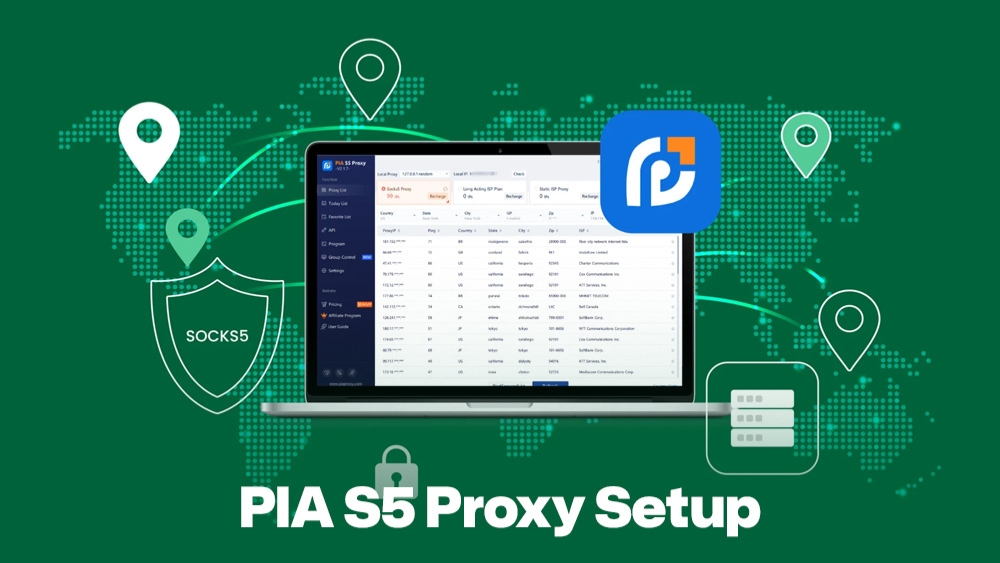
After logging in, you’ll land on the dashboard. Begin by selecting your preferred IP type: residential, mobile, or static. Then, choose your target location (country or city-level filtering). You can also define protocols (SOCKS5 recommended). Set up port forwarding or custom ports as needed. Ensure your firewall or antivirus allows proxy traffic. Save your configuration, and test the connection to confirm it’s active.
Obtain and Assign Proxies
To use proxies, generate a list of available IPs from the dashboard. Then, copy the IP:PORT combinations with authentication details. Apply them to your browser settings, bots, or tools like Postman or Python scripts. For Chrome/Firefox, use proxy extensions or system network settings. For automation tools, input credentials and proxy addresses in the proxy tab. Make sure to test the proxy connection before large-scale usage.
How PIA S5 Proxy Works?
Now that you’re set up, let’s explore how PIA S5 Proxy operates behind the scenes. The following sections will give you insight into its server architecture, pricing details, and best practices for using it efficiently and securely.
PIA Proxy Servers
PIA S5 Proxy operates on a vast and dynamic server infrastructure. Its proxy servers span over 200 countries, offering both residential and static IPs. This allows users to select specific cities or ISPs to match their targeting needs.
It’s best for scraping localized data, managing geo-specific social media accounts, and accessing region-locked services. The flexibility to choose precise endpoints ensures better success rates and fewer blocks. Business users benefit from fast rotation and stable connections, while personal users enjoy enhanced online privacy and unrestricted browsing.
Pricing Guide
If you’re used to comparing prices across providers like ProxyCheap, you’ll find that PIA S5 Proxy offers a more accessible entry cost while still supporting large-scale usage. Here’s a quick look at PIA S5 Proxy’s pricing and billing options. Plans are flexible, designed to suit individual users, marketers, and enterprise-scale operations.
PIA S5 Proxy Pricing Table
| Plan Name | Monthly Price | Trial Available | Refund Policy | Billing Cycle |
| Entry-Level | Pay per IP or ~$30 minimum | No free trial; test via purchase | 30-day money-back guarantee | Monthly |
| Standard | Volume and bandwidth-based, starts ~$50+ | No free trial; rely on refund policy | 30-day money-back guarantee | Monthly or Quarterly |
| Enterprise | Custom Pricing | Custom trial or evaluation available | Refunds or cancellations per agreement | Monthly, Quarterly, or custom |
This pricing structure allows you to start small, test the service, and upgrade as your needs grow.
Troubleshooting and Best Practices
Most issues with PIA S5 Proxy come down to incorrect configurations or outdated settings. To fix connection errors, always ensure your port and proxy protocol match, your firewall isn’t blocking the app, and credentials are correct. Use stable residential IPs to avoid frequent bans when scraping or managing multiple accounts.
For large-scale operations, rotate IPs regularly, limit simultaneous connections per account, and follow the terms of service of the platforms you work with. Consider using proxy management tools to automate rotation and error handling efficiently.

Comparison With Major Competitors
To help you evaluate how PIA S5 Proxy stands up to others, here’s a comparison with similar providers in the market.
Proxy Provider Comparison Table
| Feature | PIA S5 Proxy | Bright Data | Smartproxy | Oxylabs |
| Residential IP Pool | 350M+ | 72M+ | 55M+ | 100M+ |
| SOCKS5 Support | Yes | No | Yes | Yes |
| Geo-targeting | City + ISP | Country/City | City | ASN + City |
| Pricing (Start) | $29.99/month | $300/month | $75/month | $180/month |
| Trial/Refund | Yes | No (Free Trial) | Yes | Yes |
PIA S5 stands out with affordability, a massive IP pool, and full SOCKS5 support across platforms.
User Experience Insights
Users report that PIA S5 Proxy’s dashboard is intuitive, offering quick access to proxy settings, IP lists, and support. The UI is clean, with minimal learning curve, even for beginners. Advanced users appreciate the real-time IP filtering and flexible export options. The API documentation is well-structured, making integration into custom tools smooth.
On Trustpilot, PIA S5 Proxy holds a strong rating of 4.5/5, with praise for speed, stability, and helpful customer service. Negative feedback mostly mentions occasional setup complexity, which can be addressed with support tutorials.

Conclusion
PIA S5 Proxy offers powerful SOCKS5 functionality, a massive 350M+ residential IP network, and multi-platform support for secure, anonymous, and flexible usage. Your content unblocking, data scraping, and online task management will be viable thanks to PIA Proxy’s privacy-first approach and high performance. Ready to scale your internet operations? Start with a trial or download PIA Proxy today.
Ready to get started with PIA Proxy?
Join thousands of satisfied customers and experience the best proxy service in the industry