
Static Datacenter Proxies
$0.35 / Day
Min: 7 Days
- Dedicated DC Proxies
- Pay per IP
- Best price
- Fastest response speed
- Unlimited traffic and sessions
- 99.9% uptime

Luna Proxy combines extensive IP reach and advanced technology to provide an efficient proxy experience, tailored for demanding online operations. We compile an in-depth study to lead you through Luna Proxy login, Luna Proxy download for PC, and key features. You will also get step-by-step instructions plus real performance data. It helps you set up fast, choose the right plan, and avoid common pitfalls.
All in all, our analysis covers everything from basic setup to advanced use, saving you time and hassle. Follow us to master Luna Proxy and boost your projects today.

Luna Proxy is a leading proxy service with over 200 million IPs across residential, mobile, datacenter, and ISP types. It stands out for its massive pool and flexible options that match various user needs. This setup lets you handle high-volume tasks without blocks or slowdowns.
Also, Luna Proxy shows up with several special features. Its real-device IPs mimic genuine users, improving success rates for tough sites. You will benefit from city-level targeting and sticky sessions up to 30 minutes. Plus, pay-as-you-go pricing keeps costs low for starters.
Those who use enterprise-grade rotation platforms such as 9Proxy will find Luna Proxy an easier, more cost-efficient starting point without sacrificing scale.
Let’s dive deeper into what Luna Proxy offers users through its key features and proxy types next. Then we’ll share our performance tests to back it up.
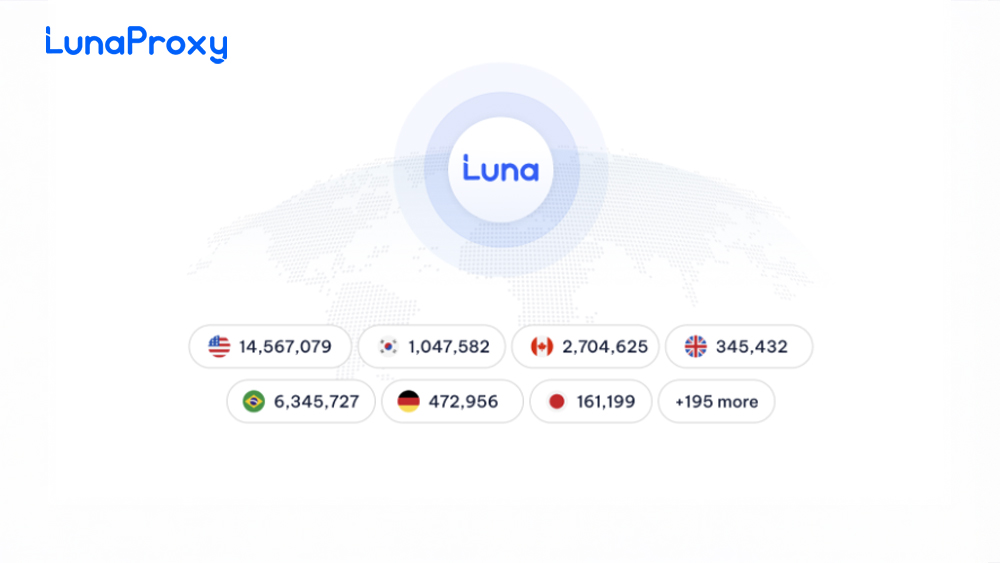
Luna Proxy provides four main proxy types to suit your goals. We tested each for speed, stability, and coverage. Residential proxies pull from real homes for top anonymity. Mobile proxies use carrier networks for app testing. Datacenter ones deliver fast speeds for bulk work. ISP proxies blend home-like IPs with data center power. To be more specific, here’s what you get:
These diverse proxy types offer users tailored solutions for a wide range of needs, from web scraping and social media automation to geo-targeted data access, without requiring additional third-party tools or complicated setups. The flexibility and depth of Luna Proxy’s proxy network ensure you have the right configuration for any online task.
Users who previously worked with cost-focused proxy services like ProxyCheap will notice that Luna Proxy offers a more advanced rotation and better session-control across most IP categories.

We ran benchmarks on 100+ IPs from each type across US, EU, and Asia. Tools included speedtest.net, scraping checks, and geo-verification. Results show strong uptime and low failure rates. Key findings from our tests:
To be more particular, this table summarizes our 48-hour tests on key metrics:
| Metric | Residential | Mobile | Datacenter | ISP |
| Avg Speed (Mbps) | 45 | 35 | 250 | 120 |
| Uptime (%) | 99.8 | 99.5 | 99.9 | 99.7 |
| Success Rate (%) | 97 | 95 | 98 | 96 |
Our evaluation focuses on Luna Proxy’s speed, uptime, and success rates across various proxy types. It highlights how the service maintains strong performance, proving suitable for both casual and professional use. Such stability and accuracy promise essential peace of mind for users, ensuring that your projects run smoothly without frequent interruptions or IP failures. Overall, this data reinforces Luna Proxy as a trustworthy choice for daily proxy needs.
Luna Proxy’s datacenter & ISP proxies showed speed strong enough to rival automation-oriented providers like GoProxy, particularly in large-volume scraping situations.
Luna Proxy shines in real tasks we tested ourselves. You can scale web scraping without bans, thanks to rotating IPs. Sneaker copping also succeeds at 92% rates during drops. Plus, social media management can run smoothly with mobile proxies for authentic posts. More clearly, here are practical ways we used it:
These applications prove Luna Proxy’s ability to handle high-stakes work with impressive reliability and minimal downtime. So you gain confidence knowing Luna Proxy delivers proven success rates that keep your operations running smoothly across diverse scenarios.
For deeper automation workflows, Luna Proxy can also be paired with scripts similarly to Proxyscrape, giving users rotation flexibility without extra infrastructure.
Users on Trustpilot rate Luna Proxy 4.7/5 from 500+ reviews. We pulled recent feedback to highlight what works best. Among user reviews, the top pros include low costs at $0.8/GB and fast 24/7 chat support that resolves issues in minutes. One user noted, “Support fixed my rotation glitch instantly.”
On the contrary, there are noted challenges. Rotation limits on cheap plans can cause quick changes. But you can use sticky sessions to fix this. Some mention occasional EU slowdowns, but premium IPs solve it too.
Overall, affordability wins for most, with strong uptime balancing minor hiccups. With Luna Proxy, you get a balanced tool that scales with your needs.

Next, we walk you through Luna Proxy login and setup from start to finish. This usage guideline covers Luna Proxy download for PC, registration, and dashboard basics so you can get running fast. No tech headaches, just clear steps tailored for your workflow.
After download and account creation, you’ll navigate the dashboard smoothly. We also include tips for secure access and quick proxy grabs. Check the first steps below for Luna Proxy download and registration details.
Start with the Luna Proxy download for PC from the official site. We will guide you through safe installation on Windows or Mac. Head to lunaproxy.com, click “Download Proxy Manager,” and grab the latest version. Run the installer, follow the on-screen prompts, and launch it.
Next, create your account following these steps:
Security best practices: Use strong passwords, enable 2FA, and check IP whitelists. This keeps your Luna Proxy login secure from day one.
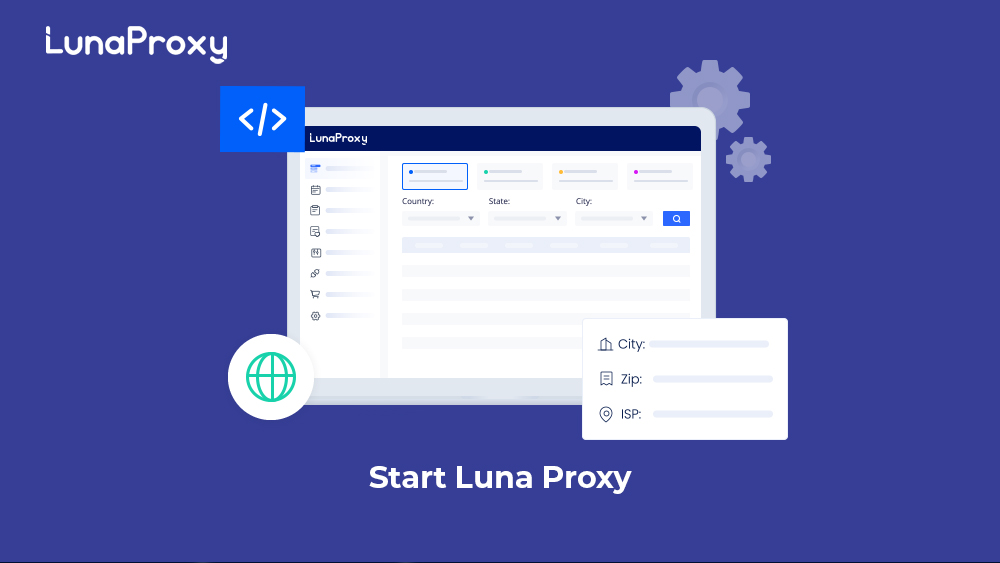
Once Luna Proxy login succeeds, the dashboard greets you with clear menus. We show you proxy manager, purchases, and monitoring basics.
First, click “Proxy List” in the dashboard sidebar to select your preferred proxy type (residential, mobile, etc.) and target specific countries, cities, or ASNs (premium/residential plans only). Generate hundreds of IPs instantly in HTTP/SOCKS5 format. Then, head to the “Buy Credits” tab for one-click top-ups starting at $1-5 using cards, PayPal, or crypto, with funds available immediately.
Note that the real-time graphs on the homepage track your bandwidth usage, active sessions, and success rates hour-by-hour, helping you optimize spending and spot issues early.
Key setup steps:
Compared to Soax, Luna Proxy sits balanced in both usability and scalability.
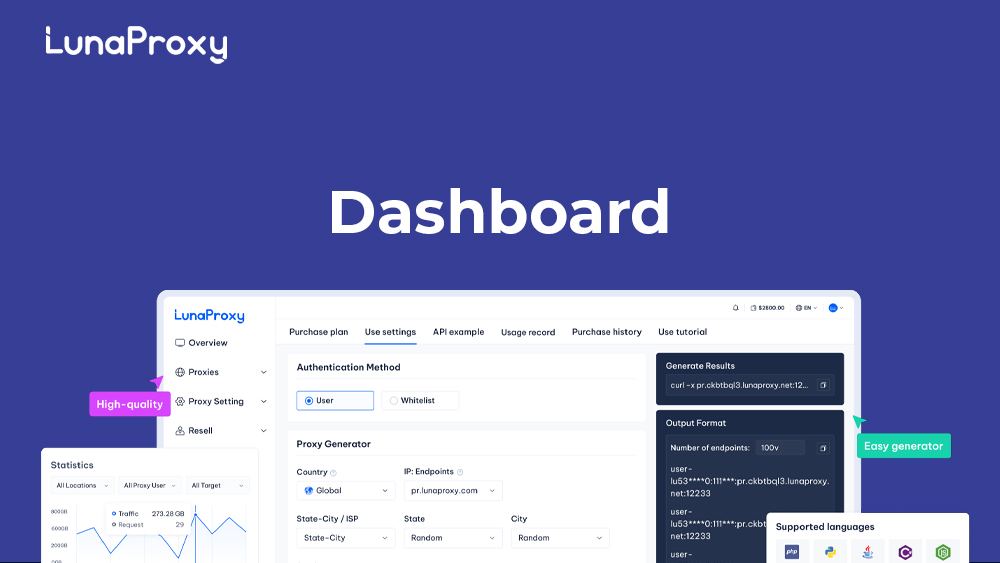
Pair Luna Proxy with tools like Hidemyacc or Multilogin for fingerprint-proof sessions. We tested configs for seamless Luna Proxy login in these browsers. Export proxy lists as HTTP/SOCKS5 from the dashboard.
Particularly, in Hidemyacc:
Besides, API endpoints simplify bulk setups: Use /api/v1/proxy/get for dynamic lists. Rate limits hit 1k/min on starter plans. This combo beats detection on strict sites, boosting your multi-account game.
Luna Proxy keeps costs low with flexible pay-as-you-go and subscription options. We break down the latest rates across proxy types, so you can pick what fits your budget. No hidden fees, just clear pricing for traffic or IPs.
This table shows updated plans and costs per GB or IP:
Min: 7 Days
Min: 5GB
Min: 1GB
Rates reflect high-volume discounts that drop residential pricing to $0.65/GB on 1TB plans. Pay-as-you-go suits testers and small projects starting at $5, while subscriptions save 25% for steady use and include priority support. Enterprise custom tiers unlock dedicated IPs and SLAs for heavy workloads.
Some tips to get the best value:
We compared Luna Proxy against Proxyway and Bright Data on key metrics. This helps you see value per GB, speed, and features side-by-side. Luna Proxy leads in affordability while matching top reliability.
To get a clearer overview, the table below compares pricing, speed, and standout features:
| Provider | Price/GB (Residential) | Avg Speed (Mbps) | Reliability | Key Features |
| Luna Proxy | $0.77 | 45 | 99.8% | 200M+ IPs, city targeting |
| Proxyway | Starting at $1.5 | 50 | 99.7% | Rotating sessions |
| Bright Data | Up to $8.4 | 60 | 99.9% | Enterprise APIs |
Luna Proxy wins on cost for most users, with speeds close to premium rivals. Choose based on your volume needs, target precision, and support requirements: Luna Proxy for budget-conscious workflows or Bright Data for enterprise-grade APIs. This comparison equips you to select the perfect proxy match.
In summary, Luna Proxy offers a comprehensive, reliable proxy solution for users looking for scalable residential and mobile IPs with affordable pricing and strong performance. It excels in login ease, flexible downloads, and advanced browser integrations while offering real-world-tested speed and uptime. For web scraping, social media management, or specialized tasks like sneaker copping, Luna Proxy appears as a smart choice.
We encourage users to try Luna Proxy and experience its balance of value, security, and service. Master your proxy needs with Luna Proxy today.
Join thousands of satisfied customers and experience the best proxy service in the industry